
3D commerce has been deeply integrated with B2B, B2C, B2B2C, and even DTC to engage customers effectively. Yet it’s difficult to have a well-implemented 3D model for eCommerce without the best preparation. You need to consider various eCommerce 3D model formats, 3D tools, 3D modeling services, and optimization strategies for the best results. Otherwise, slow-loading pages, broken AR experiences, and inconsistent assets could disappoint ROI.
In this guide, we break down the most common mistakes when using 3D for eCommerce and how to avoid them. If you’re planning to scale these capabilities, these insights can work.
Let’s dive into it!
Mistake 1: Overloading 3D models with excessive geometry
The first technical error to consider when adopting 3D models for eCommerce is excessive polygon count. Many designers build highly detailed assets optimized for offline rendering rather than real-time web performance, a key factor to boost experiences on online stores.
Consequently, your website might suffer from slow page load times, laggy interaction, high mobile bounce rates, and poor core web vitals performance. For example, a beautiful 3D model that takes 10 seconds to load will undoubtedly hurt conversions more than it helps. Learn tips to start 3D models to minimize this problem and deliver converting visualizations.
How to avoid:
- Optimize polygon count for real-time rendering
- Use Level of Detail (LOD) systems
- Compress textures appropriately
- Remove unseen internal geometry
- Use efficient UV mapping
Místake 2: Choosing the Wrong 3D Model Formats
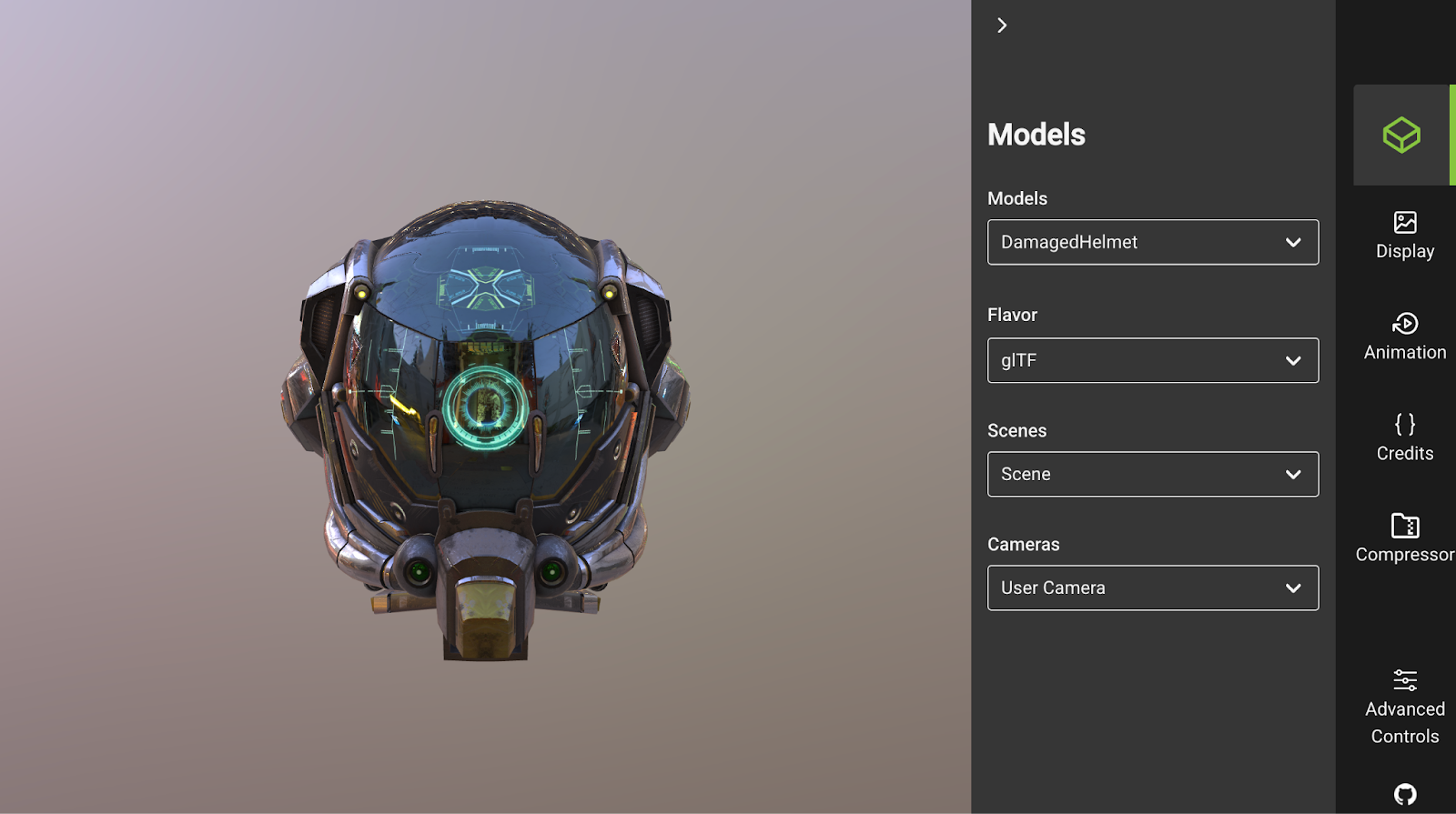
This 3D eCommerce focuses on how you use file formats to achieve your goals. The wrong adoption can break compatibility across browsers, AR experiences, and operating systems. Below are common formats and their use cases that eCommerce brands should consider:
- gITF/GLB: They are standard for web-based 3D models for eCommerce, as well as lightweight, fast-loading, and optimized for real-time rendering in web browsers.
- USDZ: Required for native AR experiences on iOS devices (Safari and Apple AR).
- FBX/OBJ: Primarily used for design, editing, and internal production workflows.
While these 3D model formats are widely supported, they need to be properly optimized. Your raw files often contain excessive geometry, large textures, and unsupported materials. For example, using a relatively heavy file like FBX directly in your store can significantly slow page load times, increase memory usage, and cause rendering failures in web browsers.
How to avoid:
- Define channel requirements before exporting assets
- Maintain high-resolution master files separately from web-ready versions
- Compress textures and reduce polygon counts before publishing
- Choose proper tools and platform for 3D file optimization
- Test across desktop, Android, and iOS devices.
Mistake 3: Ignoring the Proper Use Cases of 3D Models
Many businesses randomly use 3D solutions without tailoring them to a specific objective. That’s why they wasted resources and had poor engagement, resulting in no measurable lift.
Here are the primary solutions that every eCommerce brand should clearly distinguish:
- 3D visualization
Users can rotate, zoom, and inspect products from all angles interactively and immersively. From that, they will have a deep understanding of products and build purchase confidence.
Solutions like 3D visualization software for furniture are in high demand, as this industry often involves complex, highly modular designs that are difficult to evaluate from 2D visuals. Despite that, this application is not limited to furniture; it is also widely used across fashion, electronics, home decor, industrial equipment, and more, supporting product exploration.
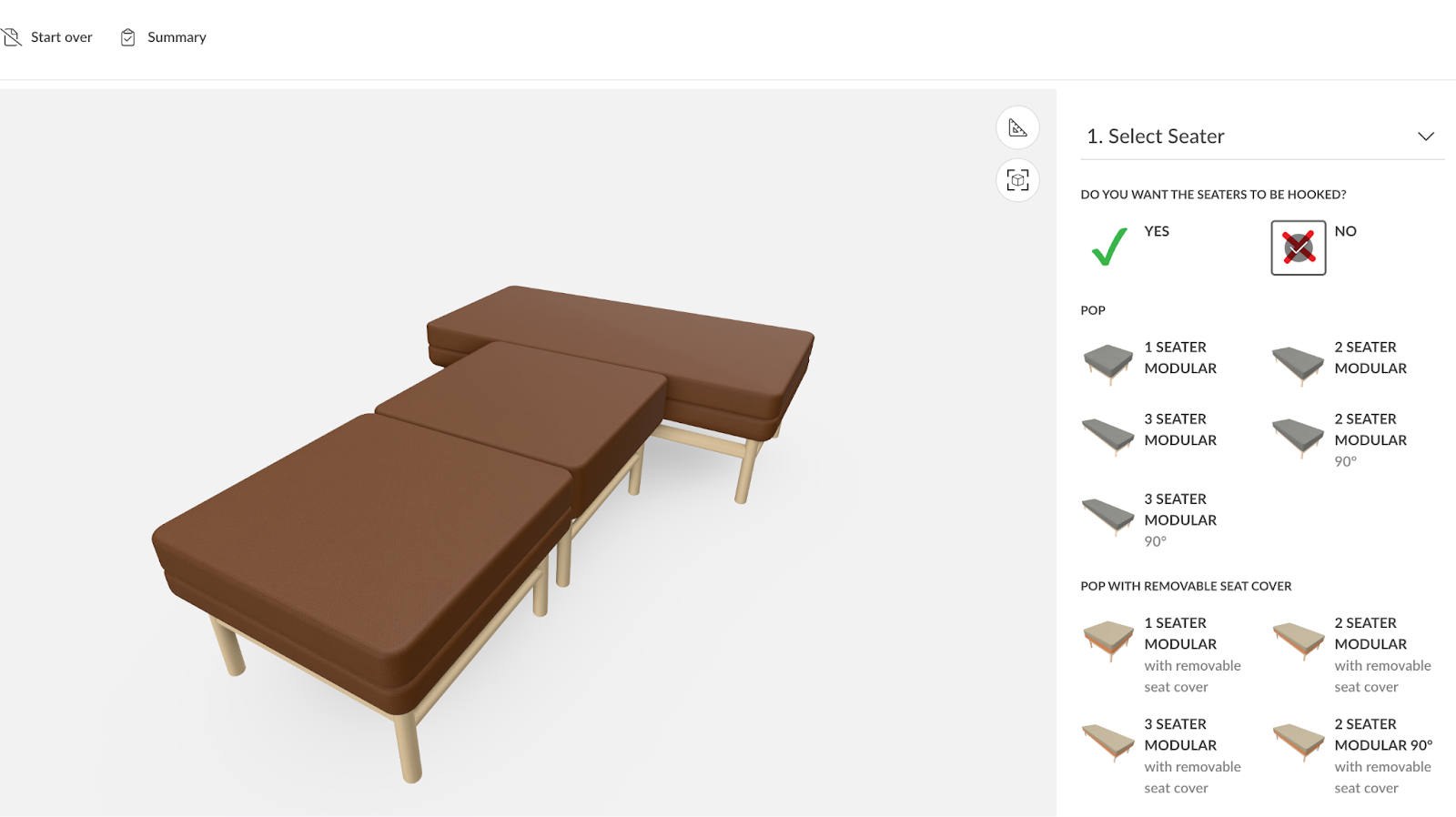
- 3D customization
This case focuses on more personalization (e.g., adding logos, engraving, or details) and modifying basic elements (e.g., colors, sizes, and materials) while enabling 3D visualizations. In fact, “71 percent of consumers expect companies to deliver personalized interactions,” says McKinsey. Thereby, adopting 3D product customizers is especially effective for satisfying rising customer demands, enhancing your competitive edge, and standing out in the market.
Another striking point is that 3D customization is preferred in industries with simple personalization needs, such as shoes, clothes, bags, glasses, and other accessories. For more complex combinations, such as furniture and kitchen, move on to the following use cases.
This is where eCommerce product configurators become more powerful. Compared to fundamental customization, they enable product building almost from scratch by adding modules, components, and accessories, as well as by changing colors and materials. These features ensure that buyers can not only create desirable products on their own but also develop technically valid, manufacturable designs. This reduces operational errors and prevents product returns.
Some advanced 3D configurators include Visual Configure, Price, Quote (Visual CPQ), which lets users design their product and see pricing changes in real time. They can also add their customized product to the cart. Quotes and order summaries are generated automatically. This instant update transforms the 3D model for eCommerce into a full-scale sales tool for better conversions, helping bridge marketing, sales, and operations in a unified system.
- 3D room planning
3D room planners help expand the experience from product-level interaction to spatial visualization. Customers can design a space and then effortlessly configure and place products within it. This is particularly crucial for furniture and interior commerce. Thereby, it is a core application of 3D models for furniture that many manufacturers prioritize today. Ensuring high matching across piences can drive purchase confidence and higher AOV.
- 3D printing
When 3D assets are used for manufacturing or prototyping, priorities shift toward geometric accuracy and material data rather than real-time interaction between customers and sellers. Undoubtedly, they support operational workflows rather than supporting online conversion.
How to avoid:
- Clarify the goal to apply 3D modeling in product design and sales
- Map each 3D solution to a measurable KPI
- Align UX design with the complexity of your product catalog
- Analyze customer behaviour data to refine your approach
Mistake 4: Solely Relying on Basic 3D Modelling Technology
The 3D ecosystem is evolving rapidly. Thus, traditional solutions are no longer enough to remain competitive. That’s also why you need to look at emerging 3D eCommerce trends, such as augmented reality (AR) solutions, virtual reality (VR) in 3D modelling, and more.
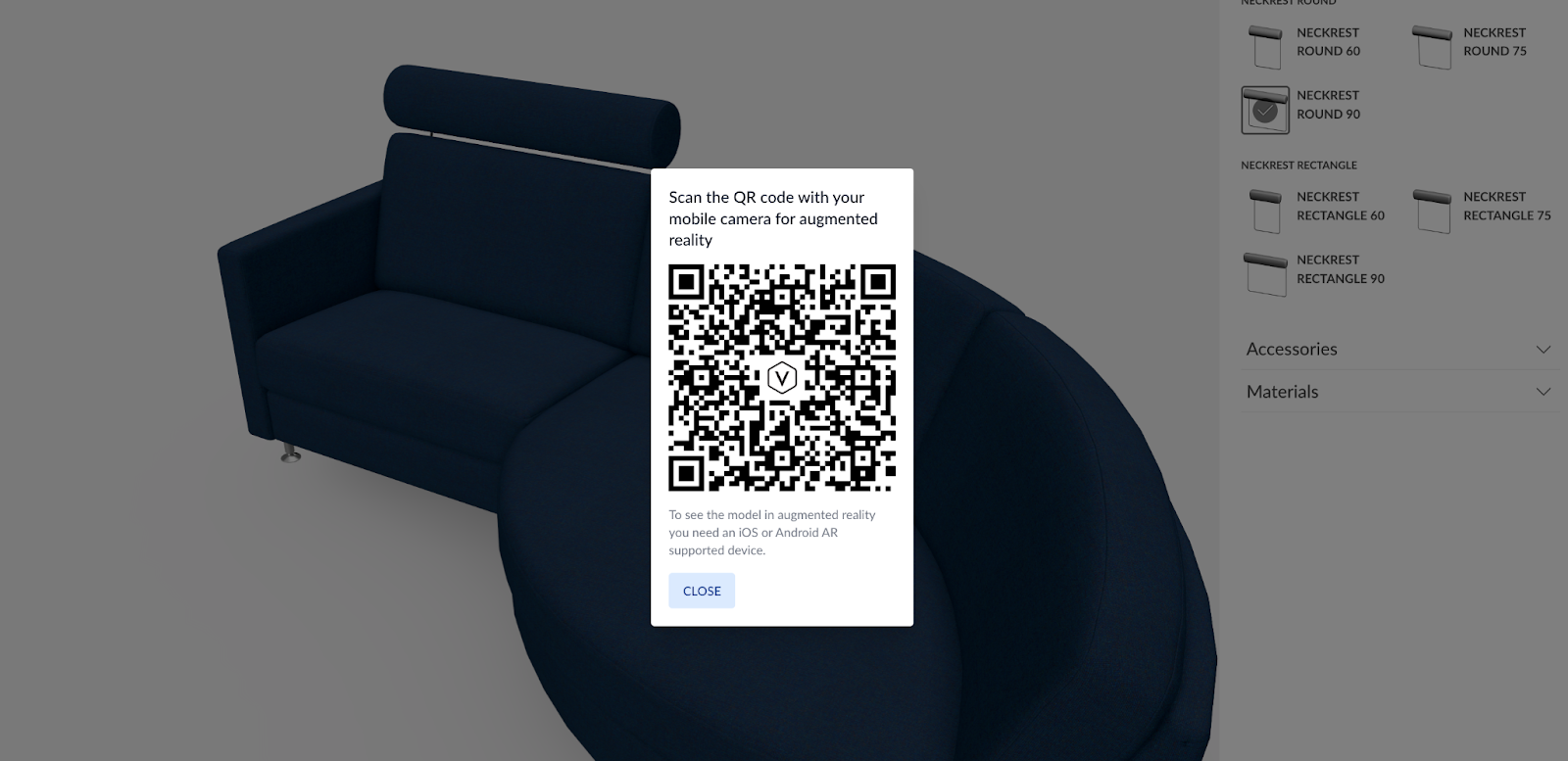
Customers now expect immersive experiences: visualize items in their own space, explore different variations instantly, and interact with items as if they were physically present. Notably, in industries such as furniture, home improvement, and construction, the role of AR has become increasingly important, serving as a decisive factor in reducing customer hesitation.
How to avoid:
- Integrate AR functionality to enable real-world product visualization
- Adopt Web AR to remove app-download friction
- Combine product configuration with AR for real-time contextual previews
- Explore VR solutions for high-consideration or showroom-based products.
Mistake 5: Trying to Create a Single 3D Asset for All Channels
The next error when starting to use 3D models for eCommerce is assuming that one asset can work well on every platform. In fact, each channel (e.g., website, mobile, marketplaces) has different technical requirements and performance thresholds. Consequently, attempting to achieve everything at once often results in slow loading times, rendering errors, and inconsistent customer experiences. Instead, consider 3D asset adaptation for your scalability.
How to avoid:
- Maintain a high-resolution master model as the source of truth
- Optimize polygon count and textures per platform requirements
- Test assets across platforms and environments before launch
- Document technical standards for each distribution channel.
Mistake 6: Poor 3D Asset Management and Quality Control
Even a well-designed model can fail if asset management and quality control are neglected. As product catalogs scale, disorganized 3D files quickly generate operational bottlenecks. There are common issues that many brands ignore, but that can lead to negative impacts:
- Improper object naming makes it difficult to control variants and configuration logic.
- Incorrect use of symmetry and mirroring can create shading inconsistencies.
- Using wrong scales leads to inaccurate AR placement/misleading planning results.
- Unsuitable textures for 3D printing may cause production defects or render failures.
How to avoid:
- Define standardized naming conventions and asset hierarchies
- Validate model scale using real-world measurements before deployment
- Apply symmetry and mirroring carefully, checking normals and shading
- Optimize and standardize texture maps for both web and print use cases
- Implement structured QA checklists before publishing any ecommerce 3d model.
Mistake 7: Go With the Wrong 3D Software Provider
This 3d ecommerce mistake is often carefully considered but still common. Many brands select 3D modeling services solely on price or visual demos, without evaluating scalability, integration capabilities, or alignment with the long-term roadmap. A weak platform may limit performance optimization or even fail to align well with ERP, CRM, and eCommerce systems.
How to avoid:
- Evaluate integration with eCommerce, ERP, and CRM systems
- Assess configurator logic depth and Visual CPQ capabilities
- Request performance benchmarks and real-case references
- Review AR and room planning scalability
- Choose a provider with a long-term innovation roadmap.
VividWorks is one of the top providers of diversified 3D solutions, including 3D customizers, AR capabilities, Visual CPQ, product configurators, and 3D room planners. These tools are built with innovative, robust features to deliver the best user experiences. VividWorks’ experts also support eCommerce brands throughout implementation, ensuring technical alignment, efficient integration, high conversion rates, and long-term growth.
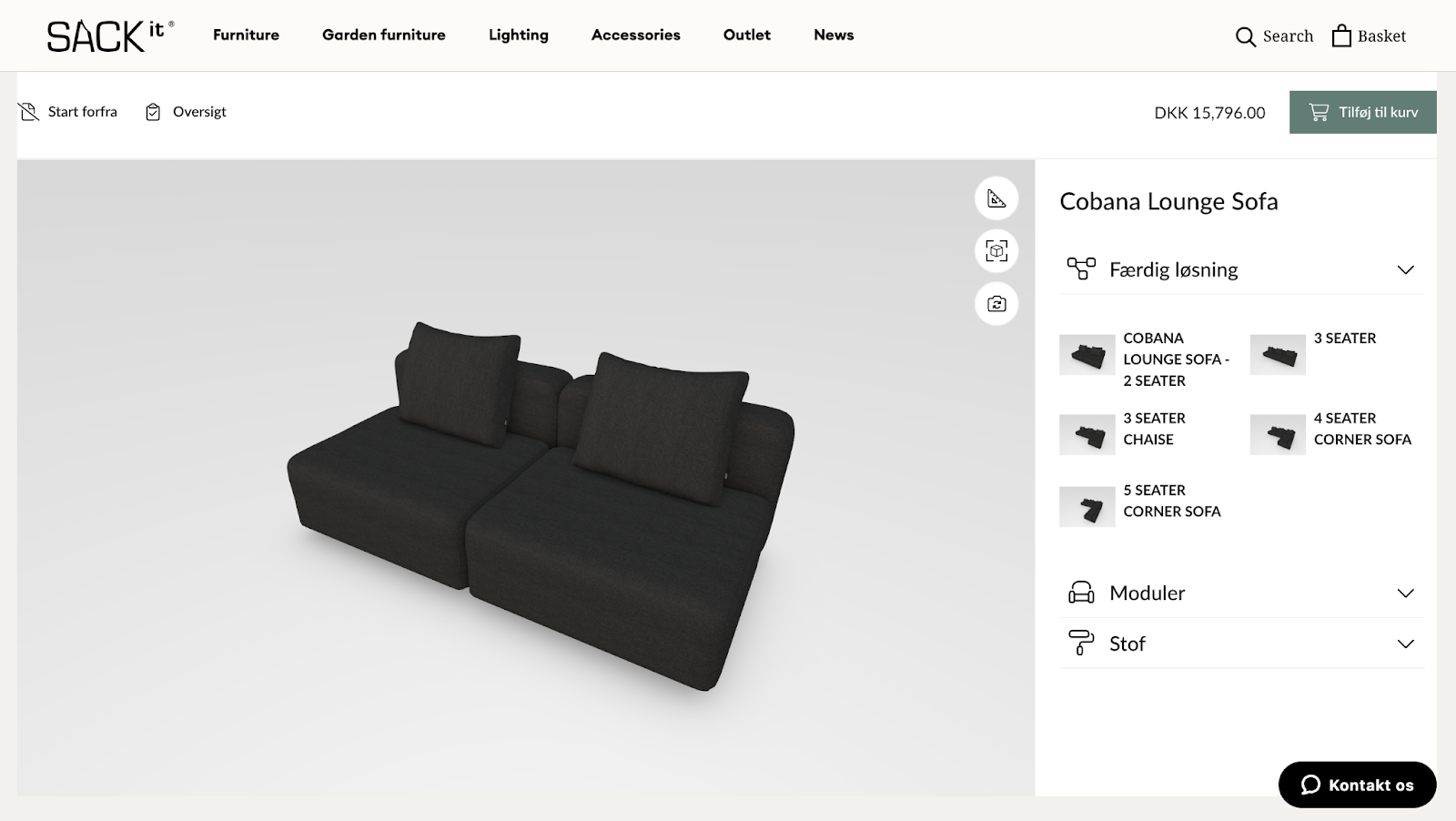
Book a demo today to see how VividWorks can transform your 3D eCommerce strategy!
Conclusion
In fact, businesses might be stuck with more than these 7 mistakes of using 3D models for eCommerce. The 3D ecosystem is apparently complex, involving performance optimization, configuration logic, asset governance, omnichannel deployment, and system integration. Therefore, a small oversight in any of these areas can limit scalability and weaken ROI.
Try following the tips to avoid problems and gain more insights from VividWorks blogs!
Table of Content
-3.avif)
Streamline your process today!